

Download uBlock – Free Ad Blocker, Fast Browsing, Secure Protection
Overview
uBlock is a lightweight, open‑source browser extension designed to block intrusive advertisements, trackers, pop‑ups, and even malicious scripts while you surf the web. By leveraging multiple public blacklists such as EasyList, Spam404, and Peter Lowe’s list, uBlock gives you granular control over what content is allowed to load on any page. The result is a cleaner, faster, and safer browsing experience on desktop and mobile browsers alike.
Because the extension works at the network level, it prevents unwanted elements from ever reaching your device, which not only speeds up page rendering but also reduces data consumption—a win for users on limited bandwidth or metered connections. uBlock’s intuitive one‑click toggle, real‑time element counter, and optional whitelist make it suitable for both tech‑savvy users who love to fine‑tune their filters and casual browsers who simply want “set it and forget it” ad‑free surfing. Best of all, uBlock is completely free, regularly updated, and compatible with the most popular browsers, including Chrome, Firefox, Edge, Opera, and Safari. Whether you’re watching videos, reading news, or shopping online, uBlock silently works in the background to keep your screen clear of clutter and your personal data safe from invasive trackers.
Key Features
- Multi‑Layer Ad Blocking: Blocks display ads, video ads, pop‑ups, and auto‑play media across all supported sites.
- Tracker & Malware Protection: Uses reputable blacklists to stop analytics scripts, fingerprinting tools, and known malicious domains.
- Custom Filter Support: Allows power users to import custom filter lists or write personal rules for precise control.
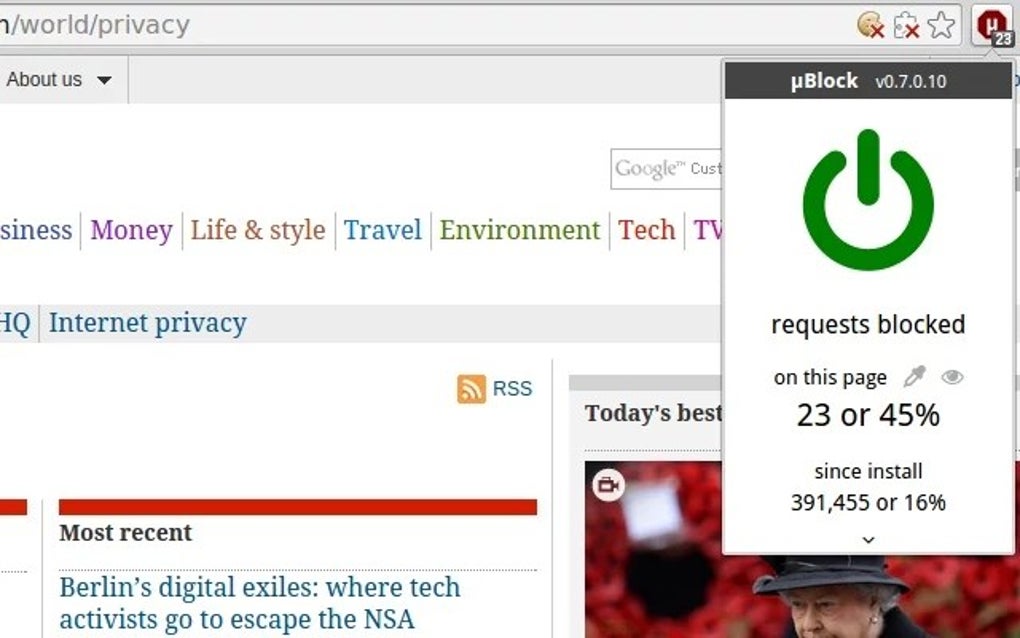
- One‑Click Toggle: Simple on/off switch in the browser toolbar with a visual red/gray icon and a live count of blocked elements.
- Whitelist Management: Easily add trusted sites to a whitelist so they load without interference.
- Low Memory Footprint: Designed to consume minimal CPU and RAM, ensuring your device stays responsive.
- Cross‑Browser Compatibility: Available for Chrome, Firefox, Edge, Opera, and Safari, with seamless syncing via browser profiles.
- Open‑Source Transparency: The source code is publicly available on GitHub, allowing the community to audit and contribute.
- Regular Automatic Updates: Receives frequent blacklist and feature updates without user intervention.
- Privacy‑First Design: No telemetry or data collection; uBlock does not send any browsing information to third parties.
Installation & Usage Instructions
Step‑by‑Step Installation
Getting uBlock up and running is straightforward. First, open your preferred browser’s extension store—Chrome Web Store, Firefox Add‑ons, Edge Add‑ons, or Opera Add‑ons. Search for “uBlock Origin” (the official name of the extension) and click the “Add to Browser” button.
A permission dialog will appear, asking for access to read and change data on websites you visit. This permission is essential because uBlock needs to intercept network requests before they load. Accept the terms, and the extension will download and install automatically.
Once installed, you’ll see the uBlock icon (a red shield) appear next to your address bar.
Basic Usage
To activate the blocker, simply click the red shield icon. When active, the icon turns bright red and displays a numeric badge indicating how many elements have been blocked on the current page. Clicking the icon again will toggle the blocker off, turning the shield gray and temporarily allowing all content to load. For most users, the default settings work perfectly out of the box, so no additional configuration is required.
Advanced Configuration (Optional)
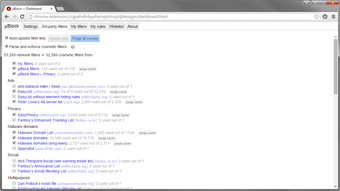
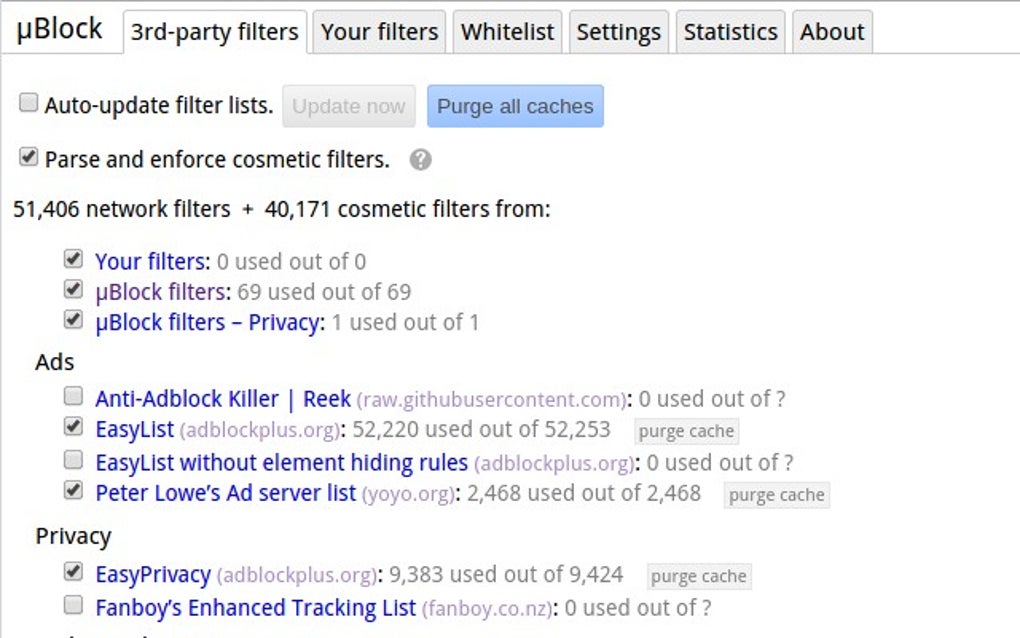
If you want to customize filters, open the uBlock dashboard by right‑clicking the icon and selecting “Options.” Here you’ll find tabs for “Filters,” “Whitelist,” “Advanced Settings,” and “Logs.” In the Filters tab, you can enable or disable individual blacklist sources, such as EasyPrivacy or Fanboy’s Social Blocking List. The Whitelist tab lets you add domains that you trust and want to exempt from blocking. Advanced users can write custom rules using uBlock’s syntax to block specific elements by CSS selector or URL pattern. The Logs tab provides a real‑time view of which requests were blocked, useful for troubleshooting if a site appears broken.
Keeping uBlock Updated
uBlock updates automatically through the browser’s extension update mechanism. However, you can manually trigger an update by visiting the “About” section in the dashboard and clicking “Check for updates.” Regular updates ensure you have the latest blacklist entries, which is crucial for staying ahead of new ad‑serving domains and emerging tracking techniques.
Compatibility, Pros & Cons
Supported Operating Systems & Browsers
uBlock Origin is compatible with Windows 10/11, macOS (10.13+), Linux distributions, as well as Android (via Firefox for Android) and iOS (via Safari). The extension is officially published for the following browsers:
- Google Chrome (and Chromium‑based browsers such as Edge and Brave)
- Mozilla Firefox
- Opera
- Safari (limited to macOS and iOS 15+)
- Firefox for Android (provides full functionality on mobile devices)
Because uBlock works at the network request level, its performance is consistent across all supported platforms, delivering the same speed boost and privacy protection regardless of device.
Pros
- Free and Open‑Source: No hidden fees, no subscriptions, and full transparency of code.
- Lightweight: Minimal impact on CPU and memory, preserving system performance.
- Highly Customizable: Advanced filter lists and custom rules for power users.
- Broad Compatibility: Works on all major browsers and operating systems.
- Instant Blocking: Real‑time element counter and one‑click toggle simplify everyday use.
- Privacy‑Centric: No data collection, telemetry, or tracking of user behavior.
Cons
- Learning Curve for Advanced Settings: New users may find the filter list management overwhelming.
- Occasional Site Breakage: Aggressive blocking can interfere with some website functionalities, requiring temporary whitelist adjustments.
- Limited Mobile Support: Full feature set is only available on Firefox for Android; Chrome mobile does not support extensions.
- No Built‑In VPN: Unlike some competitors, uBlock does not provide a VPN service for additional anonymity.
Frequently Asked Questions
Is uBlock safe to use?
Yes. uBlock Origin is an open‑source project reviewed by security experts worldwide. It does not collect personal data, and its source code is publicly auditable on GitHub.
Can uBlock block video ads on YouTube?
Absolutely. uBlock’s default filter lists include rules that target pre‑roll, mid‑roll, and overlay video ads on YouTube, providing an uninterrupted viewing experience.
Does uBlock slow down my browser?
No. Because it blocks unwanted requests before they are sent, uBlock actually speeds up page loading times and reduces memory usage compared to browsing without an ad blocker.
How do I whitelist a website?
Open the uBlock dashboard, go to the “Whitelist” tab, enter the domain you want to allow (e.g., example.com), and click “Add.” The site will then load without any blocking.
Is there a premium version of uBlock?
No. uBlock Origin is completely free. Any “premium” versions you may encounter are not official and could contain unwanted software.
Conclusion & Call to Action
uBlock Origin stands out as one of the most efficient, privacy‑focused ad blockers available today. Its blend of a lightweight footprint, robust default filter lists, and deep customizability makes it an excellent choice for anyone looking to improve browsing speed, protect personal data, and enjoy an ad‑free web experience. Whether you’re a casual surfer who simply wants fewer interruptions, or a power user who wants to fine‑tune every request, uBlock provides the tools you need without demanding a subscription fee. Ready to reclaim your browser? Download uBlock Origin now and experience faster, cleaner, and safer web browsing in just a few clicks.







